You Describe It. The AI Builds It.
Vibe coding is building software by telling an AI what you want — in plain English — and letting it write the code. You guide the direction, review the output, and iterate until it works.
Andrej Karpathy coined the term in early 2025. He described it as "fully giving in to the vibes" — accepting AI-generated code, running it, and pasting errors back until things work. What started as a tongue-in-cheek tweet became a legitimate development methodology.
In 2026, vibe coding has grown up. Developers use structured workflows, purpose-built tools, and AI-optimized project documents to ship real products. Solo founders are launching SaaS products in days that would've taken months with traditional development.
We built VibeGen entirely using vibe coding workflows — Next.js, Supabase, Stripe, deployed on Vercel. The process taught us what works, what breaks, and where the real bottlenecks are. This guide reflects that hands-on experience.
🔄 How It Actually Works
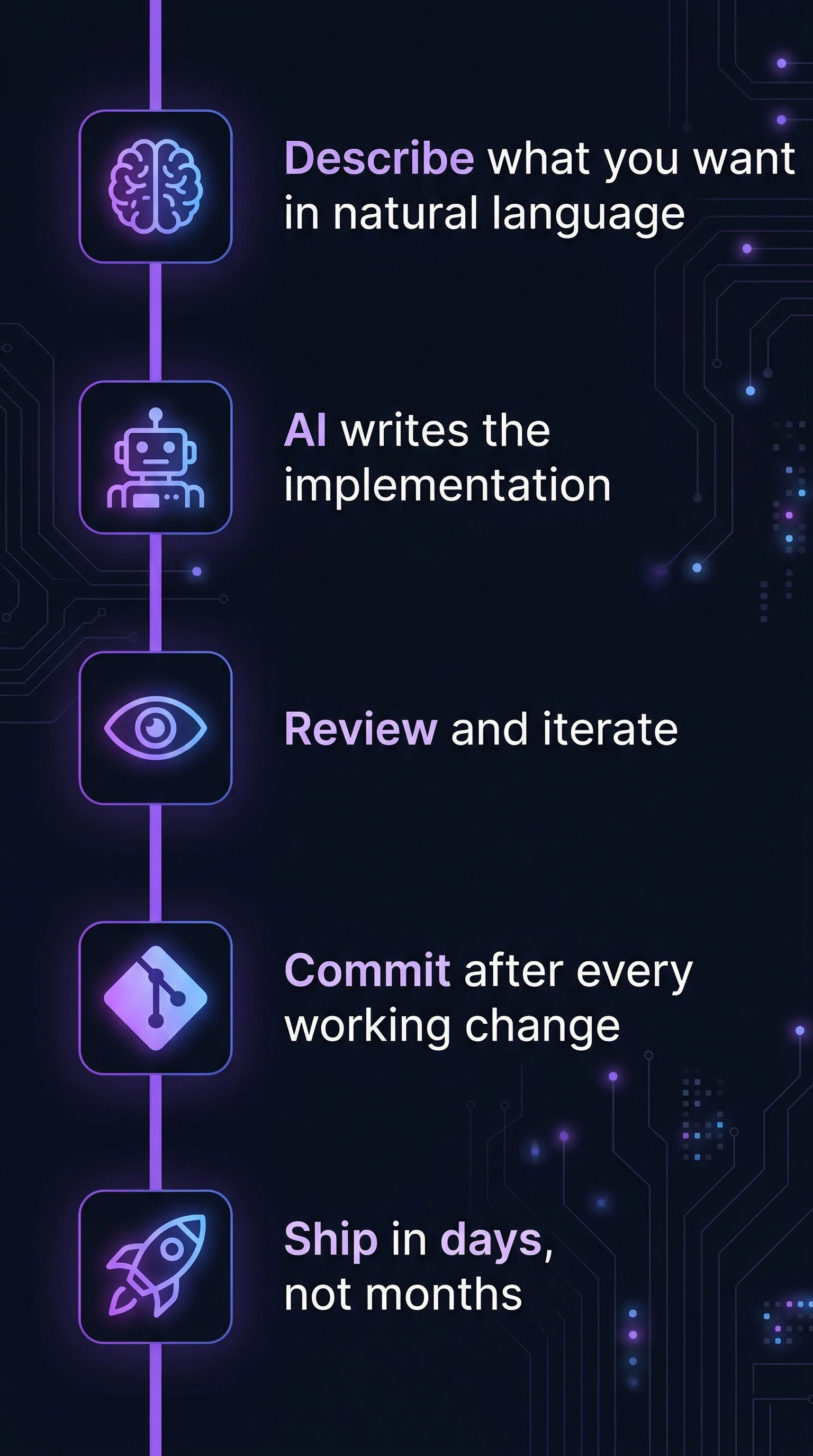
At its core, vibe coding replaces manual code authoring with a conversation loop:
- Describe what you want
- Generate the code with AI
- Validate — does it work?
- Repeat for the next piece
Simple in theory. In practice, the quality of your output depends entirely on the quality of your input.
Vague prompts produce vague code. Structured specs produce working software.
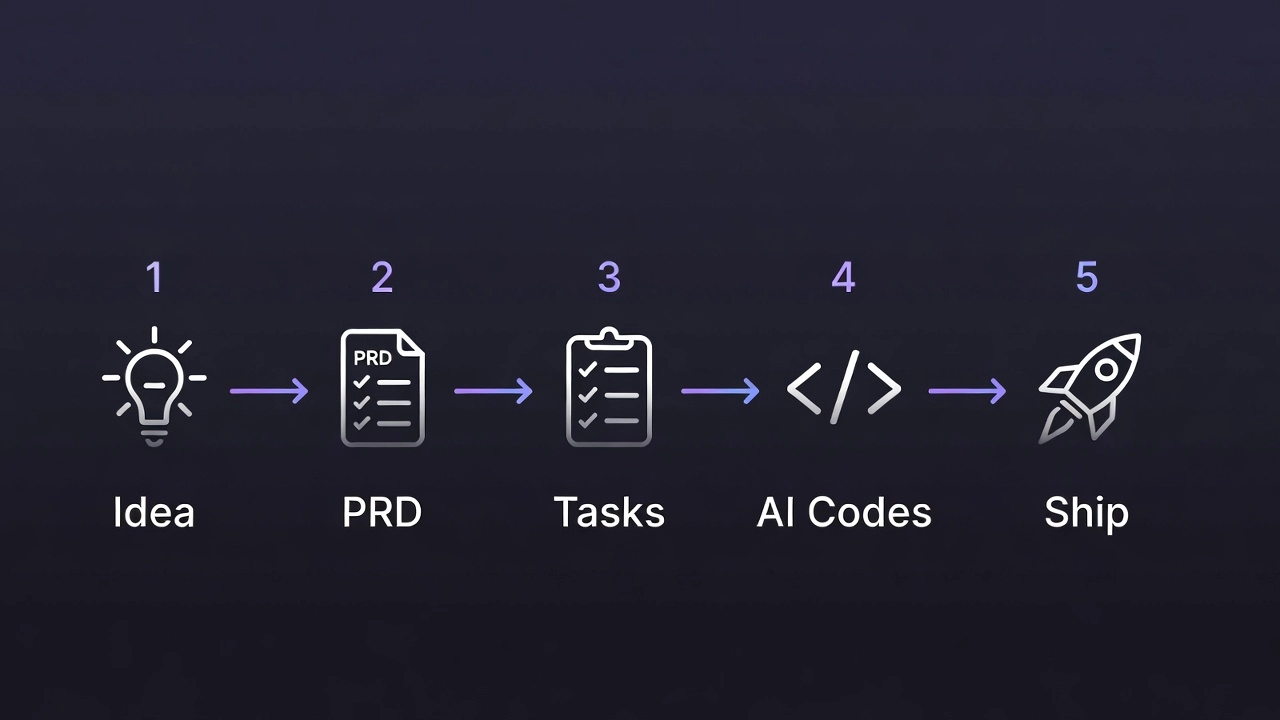
The most productive vibe coders don't start by asking an AI to "build me a SaaS." They break the process into stages:
- Idea generation — Define the problem space and target audience
- PRD (Product Requirements Document) — Specify features, architecture, data models, constraints
- Task decomposition — Break the PRD into ordered, dependency-aware implementation tasks
- AI-assisted building — Feed tasks one by one into a coding assistant
Each stage gives the AI more context, which means better code. A well-written PRD fed into Claude Code or Cursor produces dramatically better results than a one-line prompt.
If you're new to this workflow, our guide on how to start vibe coding walks through the setup process step by step.
🛠️ Best Vibe Coding Tools in 2026
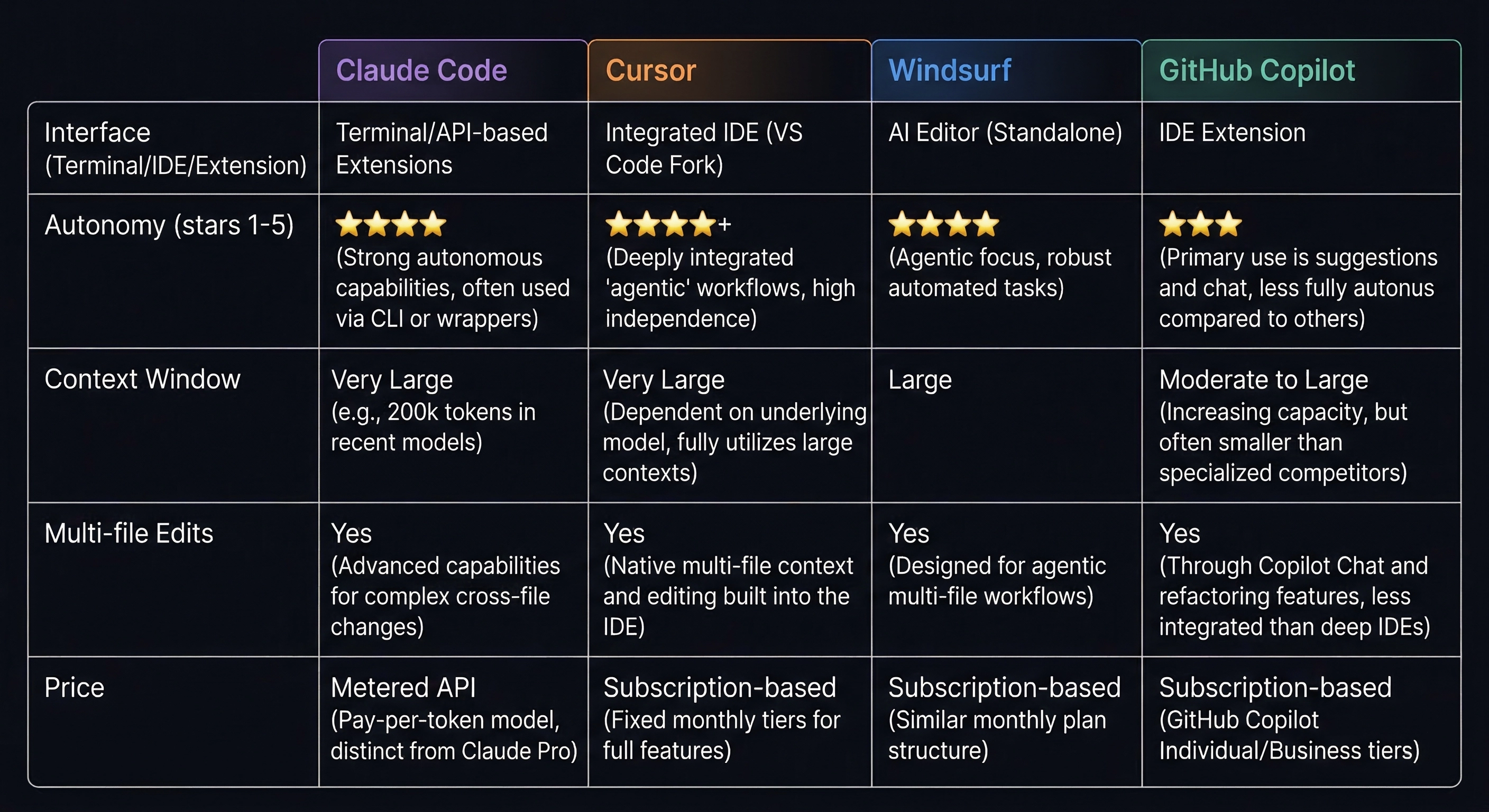
The tooling ecosystem has matured fast. Here's what serious vibe coders are using. For a deeper dive into each tool, check out our full comparison of AI coding assistants.
| Tool | Approach | Strongest At |
|---|---|---|
| Claude Code | Terminal agent | Multi-file refactors, deep codebase reasoning |
| Cursor | VS Code fork | Inline completions, composer mode |
| Windsurf | Agentic IDE | Pattern following, autonomous flows |
| GitHub Copilot | IDE extension | Quick completions, GitHub integration |
| OpenAI Codex | Cloud agent | Async task queuing, parallelized work |
Claude Code
Anthropic's CLI-based coding agent. It runs in your terminal, reads your entire codebase, and makes multi-file edits autonomously. It excels at large refactors, complex debugging, and implementing features that span many files. Currently the strongest at understanding codebases holistically.
In our experience building VibeGen, Claude Code handles complex database migrations and multi-file refactors better than any other tool we've used. When we needed to restructure our credit system across 12 files, it completed the task in a single session with zero regressions.
Cursor
An AI-native editor forked from VS Code. AI is built into every part of the experience — inline completions, multi-file edits, and a chat panel that understands your project. Its Composer feature lets you describe changes across files and apply them in one shot.
Windsurf
Built by Codeium, Windsurf combines inline suggestions with a Cascade flow system that handles multi-step tasks. Strong at following existing patterns in your codebase and maintaining consistency across changes.
GitHub Copilot
The most widely adopted AI coding tool. Now offers an agent mode that can plan and execute multi-step changes. Tight GitHub integration makes it convenient if your workflow already lives there. Best for inline completions and quick edits rather than large-scale generation.
OpenAI Codex
OpenAI's cloud-based coding agent. It clones your repo, works in a sandbox, and operates asynchronously — you queue up tasks and review results later. Useful for parallelizing work but requires more review since it runs without real-time feedback.
🚀 The Workflow: Idea to Shipped Product
Skipping steps is the most common mistake beginners make. Here's the pipeline that actually works.
Step 1: Validate Your Idea
Start with a clear problem statement. Who is this for? What pain does it solve? Is there an existing market?
Answering these questions before writing any code saves days of wasted effort. We've written a detailed guide on how to validate a SaaS idea before building that covers this process in depth.
Step 2: Write a PRD
A Product Requirements Document gives your AI assistant the context it needs. A good PRD includes:
- Tech stack decisions
- Database schema
- API endpoints
- User flows
- Acceptance criteria
The more specific your PRD, the less time you spend fixing AI-generated code.
Writing a PRD from scratch can be daunting. If you want to see how AI can handle this step, read our walkthrough on going from idea to PRD in 10 minutes.
Step 3: Break It Into Tasks
Decompose the PRD into sequential, dependency-ordered tasks. Each task should be small enough for an AI to complete in a single session — one feature, one API route, or one UI component.
Step 4: Build with AI
Feed tasks one at a time. Review each output, run tests, and commit working code before moving on. This incremental approach prevents the AI from going off track and makes debugging manageable.
🏗️ Choosing the Right Tech Stack for Vibe Coding
Not all tech stacks work equally well with AI coding assistants. The AI generates better code when it's trained on popular, well-documented frameworks.
Based on our experience building VibeGen and watching the indie hacker community, these stacks produce the best results with vibe coding:
| Layer | Recommended | Why |
|---|---|---|
| Frontend | Next.js / SvelteKit | Massive training data, excellent docs |
| Database | Supabase / PlanetScale | Built-in auth, clear SQL patterns |
| Payments | Stripe | Best-documented API in existence |
| Hosting | Vercel / Railway | Zero-config deployments |
| Styling | Tailwind CSS + shadcn/ui | AI generates Tailwind accurately |
The key insight: AI assistants write better code for popular tools because they've seen millions of examples during training. Choosing a niche framework means more time correcting AI mistakes.
For a deeper dive into stack selection, check out our indie hacker tech stack guide.
💡 Tips for Beginners
Start small. Build a simple tool or landing page before attempting a full SaaS. You need to develop intuition for what AI handles well and where it struggles.
Be specific in your prompts. Compare:
- ❌ "Add a settings page"
- ✅ "Add a /settings page with a form for updating the user's display name and email, using the existing Supabase auth session, styled with the existing shadcn/ui components"
Review everything. Vibe coding is not no-code. You still need to understand what the AI generates. Read the code, check the logic, test edge cases. Blindly accepting AI output leads to fragile software.
Commit after every working task. If the AI breaks something next step, you can roll back cleanly.
Invest time in your PRD. It's the highest-leverage artifact in the entire workflow. An hour on a detailed PRD saves many hours debugging bad AI output.
Learn to debug AI output. When the AI generates broken code, don't just paste the error back blindly. Read the error message, understand the root cause, and provide targeted context. Saying "the Supabase RLS policy blocks unauthenticated reads — fix the policy in the migration" produces better results than pasting a stack trace.
⚠️ Common Pitfalls and How to Avoid Them
Vibe coding has failure modes that traditional development doesn't. Here are the ones we've encountered most while building VibeGen:
Context window overflow. Large codebases can exceed the AI's context window. Solution: work on isolated features, use clear file boundaries, and point the AI at specific files rather than asking it to "look at the whole project."
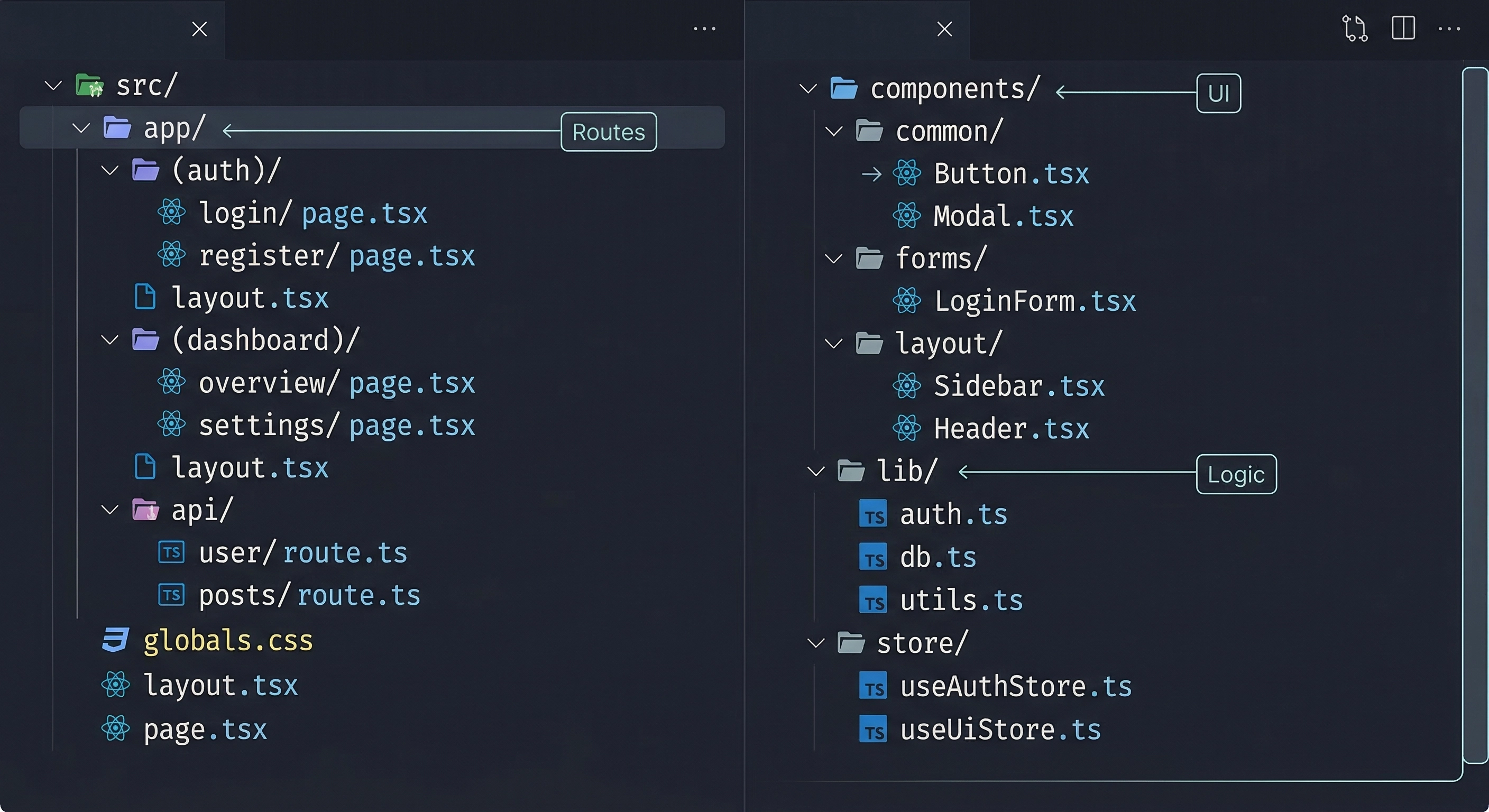
Inconsistent architecture. The AI might use different patterns in different files if you're not explicit. Solution: establish conventions early in a project rules file (.cursorrules for Cursor, CLAUDE.md for Claude Code) and reference them in every prompt.
Security blind spots. AI-generated code often skips input validation, rate limiting, and proper authentication checks. In our experience, every AI-generated API endpoint needs manual security review. We found missing rate limits, overly permissive database policies, and unescaped user input — all caught during review, not by the AI.
Dependency bloat. AI assistants love adding npm packages. Before accepting a new dependency, check: Is this already in the project? Does it add significant bundle size? Could a 10-line utility replace it?
🧩 Where VibeGen Fits In
The bottleneck in vibe coding is rarely the coding — it's everything that comes before it. Most developers jump straight into prompting without a clear plan, and the results reflect that.
VibeGen solves the planning stage. It generates:
- Validated project ideas with market analysis and viability scores
- Market research with competitor data and trend analysis
- Detailed PRDs including tech stack, database schemas, and API specs
- Implementation task lists ordered by dependency
The output is structured specifically for AI coding assistants. Feed the task list directly into Claude Code, Cursor, or any other tool and start building immediately.
Instead of spending hours writing project specs by hand, you describe your idea and get the documents your AI assistant needs to build it properly.
If you're looking for inspiration on what to build, our roundup of the best AI idea generators for vibe coders covers the tools that can help you find your next project.
📌 Key Takeaways
- Vibe coding is building software by describing what you want to an AI and iterating on the output — coined by Andrej Karpathy in 2025.
- The quality of AI output depends on the quality of your input — structured PRDs and task lists produce dramatically better results than vague prompts.
- The top tools in 2026 are Claude Code, Cursor, Windsurf, GitHub Copilot, and OpenAI Codex.
- Choose a popular, well-documented tech stack — AI writes better code for frameworks with large training datasets.
- Always review AI-generated code for security issues, unnecessary dependencies, and architectural consistency.
- The real bottleneck is planning, not coding — invest time in validation and PRDs before touching a code editor.
If you're an indie hacker looking to ship faster, check out the pricing or get started free. The free tier gives you enough credits to generate a full project plan and see how structured vibe coding compares to prompting from scratch.